
Answer activity on paper
Introduction
Once you have joined the class, your teacher creates the activity and prepares the questionnaires and the GradeChum answer sheets. When your teacher hands them out, it is time to answer.
Your teacher scans your answer sheets after the activity, and our system reads your name and your answers from the paper. It can only do that if your name is clear and your answers stay inside the printed boxes. In this section, we will explore how to answer an activity on paper so that every answer is read correctly.
Steps
Note: You must have already joined your teacher's class in GradeChum. See Join class.
To answer an activity on paper, follow these instructions:
- Once your teacher has given the instructions, check that you have every page of the answer sheet. The bottom of each page reads "Page 1 of 2", "Page 2 of 2", and so on.
- Before answering, write your last name and your first name clearly in the Last name and First name boxes at the top of every page. The rest of the header is already printed for you: the Class name, the Activity name, the Activity code and the Page # in words.
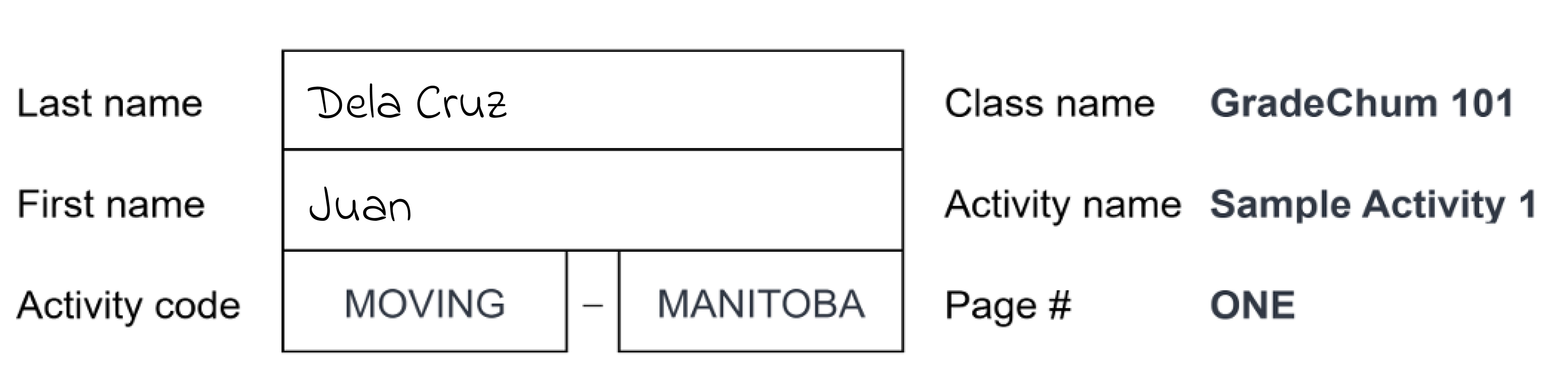
- If your activity has sets, also write your set letter in the Set box. On a sheet with sets, the printed header labels are shortened to Class, Activity and Code. If one activity is given to more than one class, the class name reads GENERIC.
Note: If your name boxes are blank or unreadable, our system cannot match your paper to you on its own. Your teacher then has to find your paper and attach it to you by hand before you get a score.
- On the answer sheet, shade the circle of your answer for multiple-choice items, filling it in completely. For items with answer boxes, write inside the borders of the box. Anything written outside the box for that item is cut off when the paper is scanned and is not read.
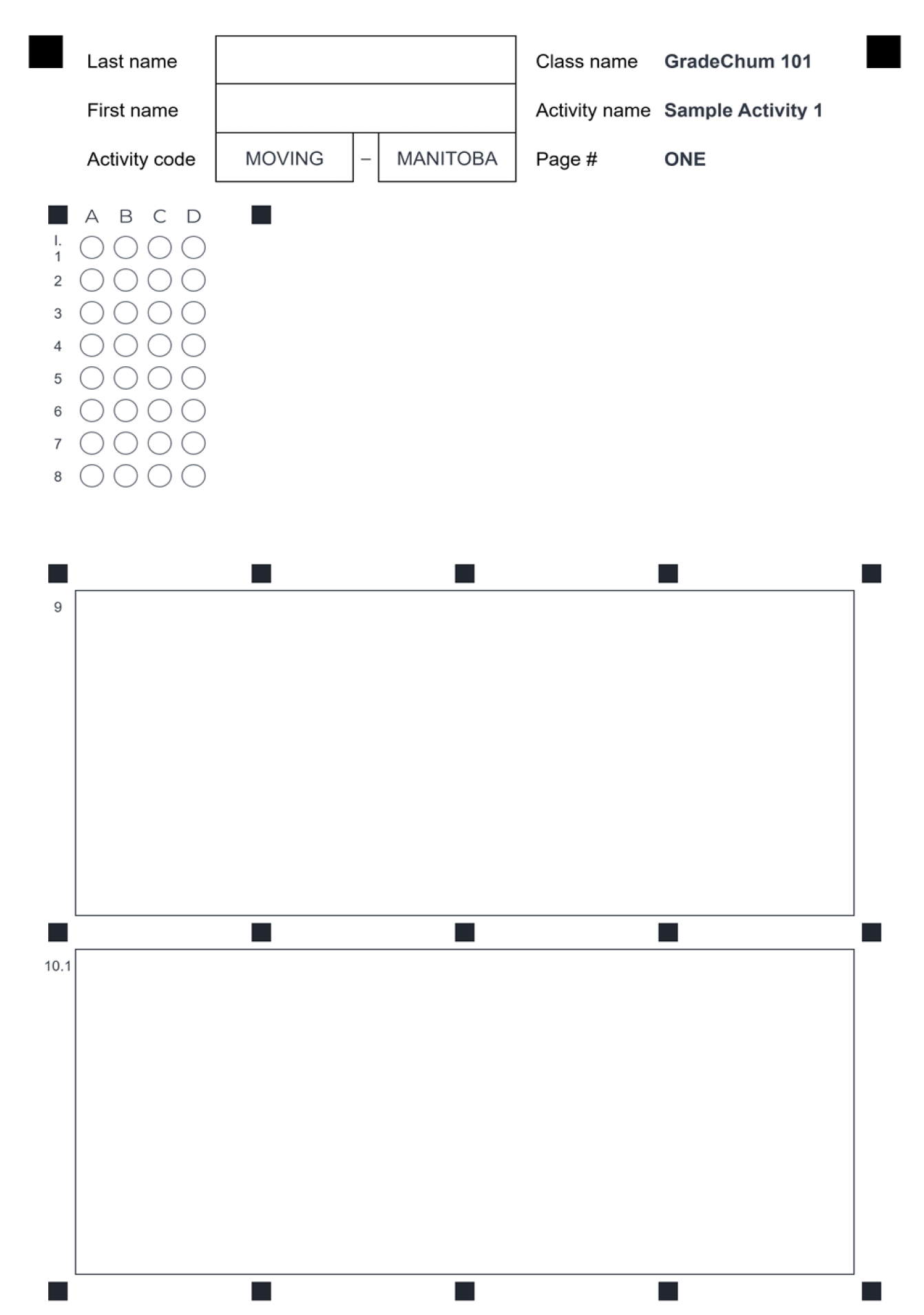
- Write as neatly as you can, so our system recognizes and scores your answers correctly. If you need to erase, use correction tape for a clean look, or scribble the wrong answer out completely.
- Finally, once you are done with the activity, pass all of your answer sheets to your teacher.
If you are taking a mock board exam
A mock board exam uses a board exam style sheet titled EXAMINATION ANSWER SHEET. Read the INSTRUCTION TO EXAMINEE: printed at its top before you answer. The sheet asks you to:
- write your last name and first name in the LAST NAME and FIRST NAME boxes, and your set in the SET box if the exam has sets
- shade box A or B in the TEST QUESTION SET BOX to show the set of test questions assigned to you, and fill in the Examinee ID Number box
- shade one box for every number, fully, with a No. 2 pencil. Two or more boxes shaded for one number cancels your exam.
- avoid erasures, since answers with erasures that leave a mark are invalidated. If you are not sure of an answer, leave that number blank and come back to it before the exam ends.
- keep the sheet clean, and do not fold it
After you hand in your paper
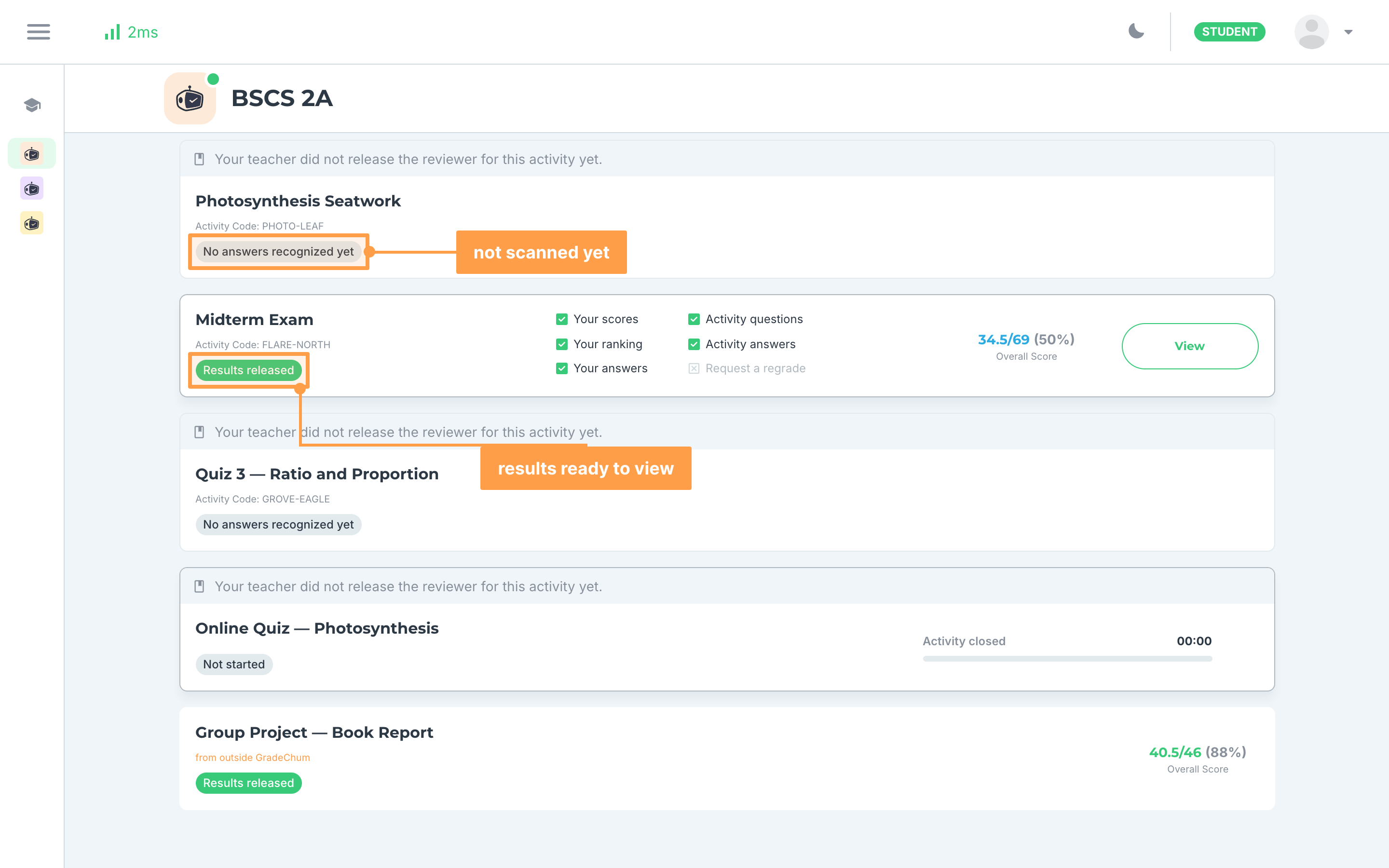
Your activity's card under your class shows where your paper is:
- No answers recognized yet means your teacher has not scanned a paper that matches you.
- Results not released means your paper was scanned, but your teacher has not released the results.
- Results released means you can open the activity and see your results.
Note: If a page of your answer sheet could not be identified, your results say which items are missing, for example "Items Test I. 1-10 are missing because Page #2 could not be identified. Please coordinate with your teacher to resolve this issue." Tell your teacher, so they can find that page and attach it to you.
And that's how you answer an activity on paper! Next, let's explore how to view your activity results.