
During
Introduction
After preparing what you need before the activity, it's time to give it to your students. What happens in the room decides how well GradeChum reads their papers later: a missing name, a letter written outside its box or a messy erasure can each leave a paper that someone has to sort out by hand.
In this article, let's explore what to keep in mind while your students answer the activity.
Note: This article is about an activity your students answer on paper. If you chose Online as the activity type, there is nothing to print and nothing to scan: see Online activities for what your students see and how to follow the activity as it runs.
Steps
Note: You must have the questionnaires and enough answer sheets for your class ready before proceeding. See Before.
To explore what to do during the activity, follow these steps:
- Hand an answer sheet to each of your students. If your activity has sets, give each student the questionnaire of one set, so students sitting side by side get different sets.
- Before answering, ask your students to write their Last name and First name at the top of the answer sheet, the same way their names appear in your class record. An activity with sets also has a blank Set box under them. The activity's code, name and page number are already printed on the sheet.
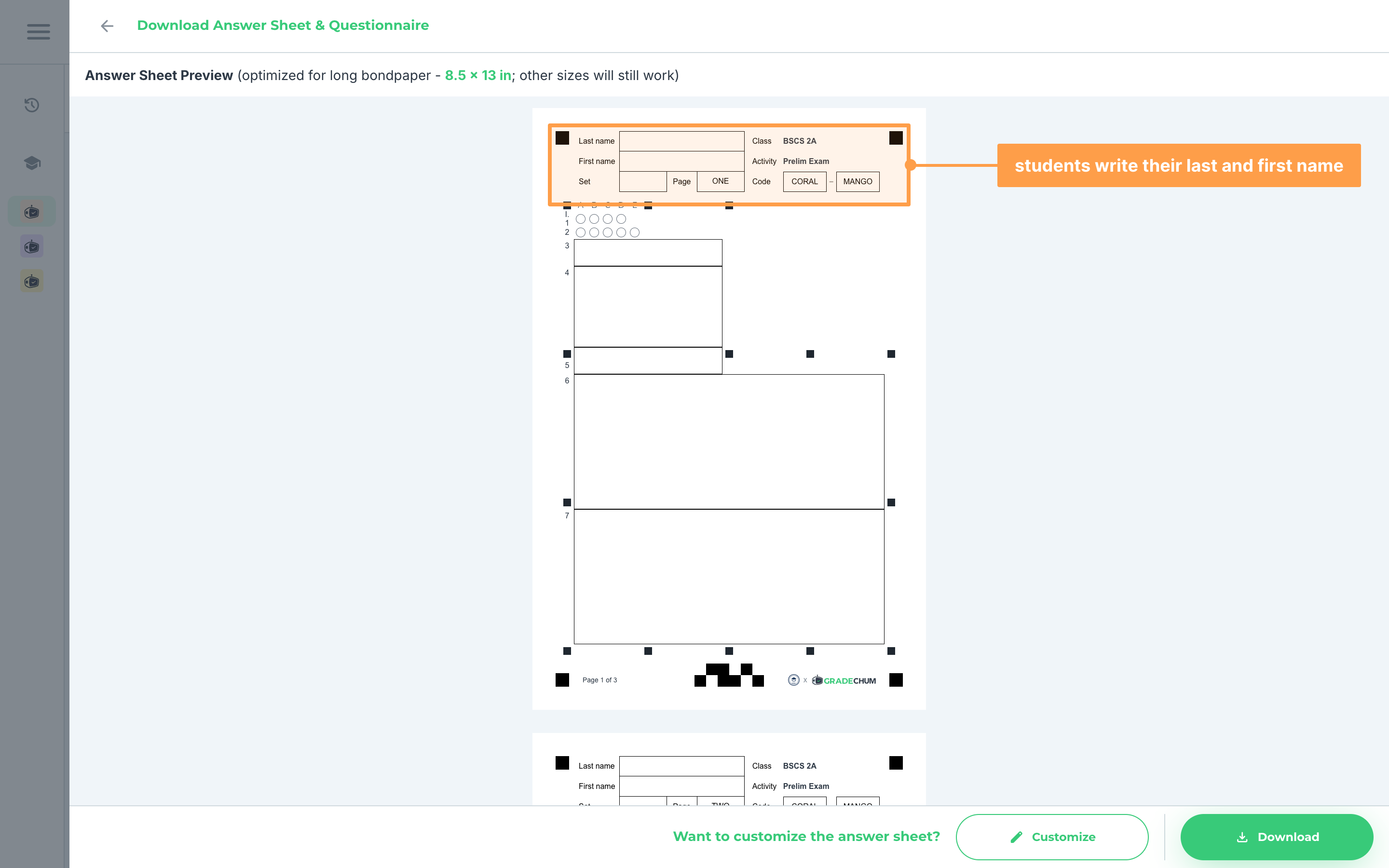
- If your activity has sets, ask each student to write in that box the letter of the set printed on their questionnaire, so GradeChum checks their answers against the right answer key.
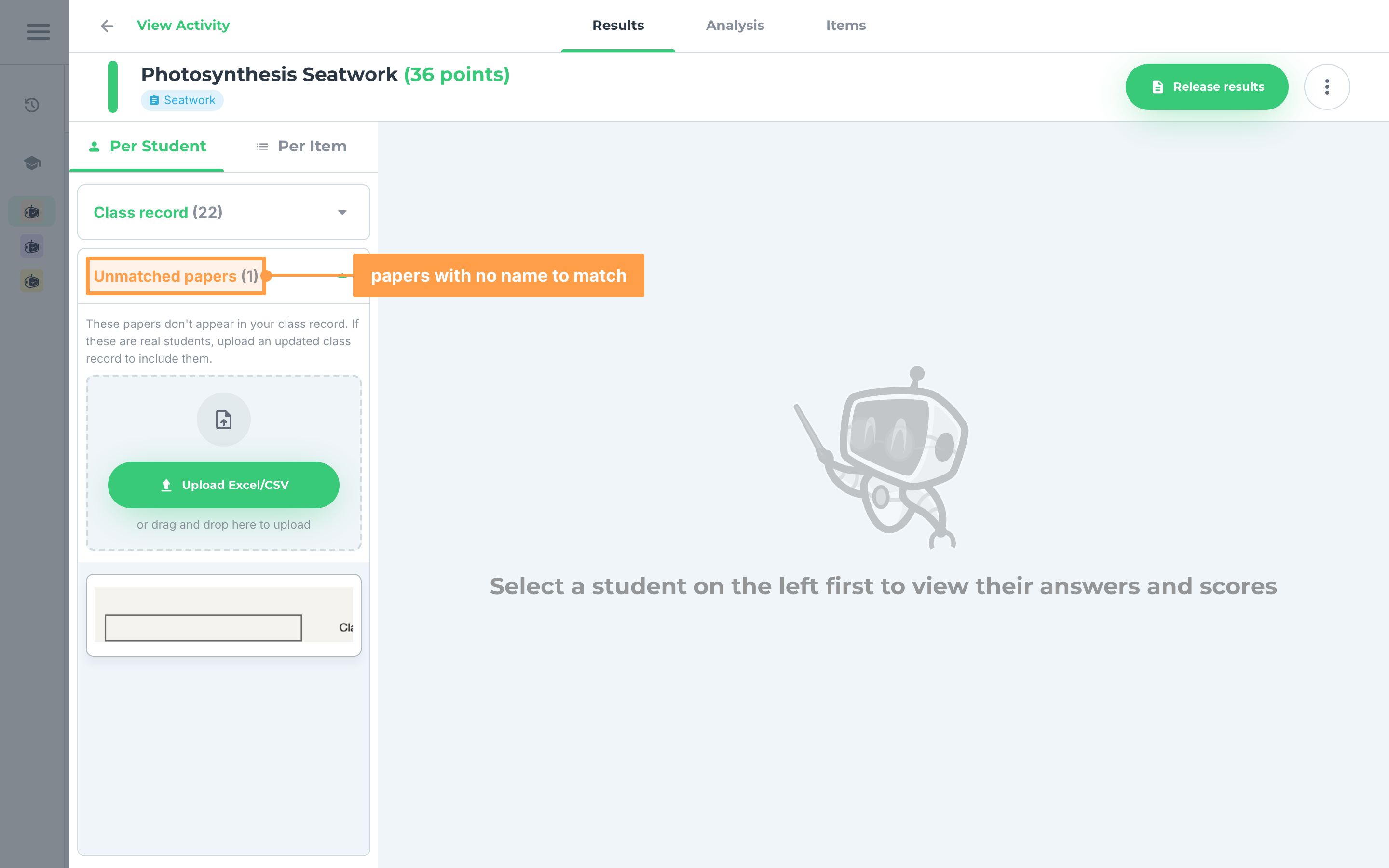
- If a name is missing or cannot be read, GradeChum cannot match the paper to a student in your class record. The paper shows under Unmatched papers on the activity's Results tab for you to sort out by hand. A set letter GradeChum cannot read shows as Unclear set letter. See Pages missing.
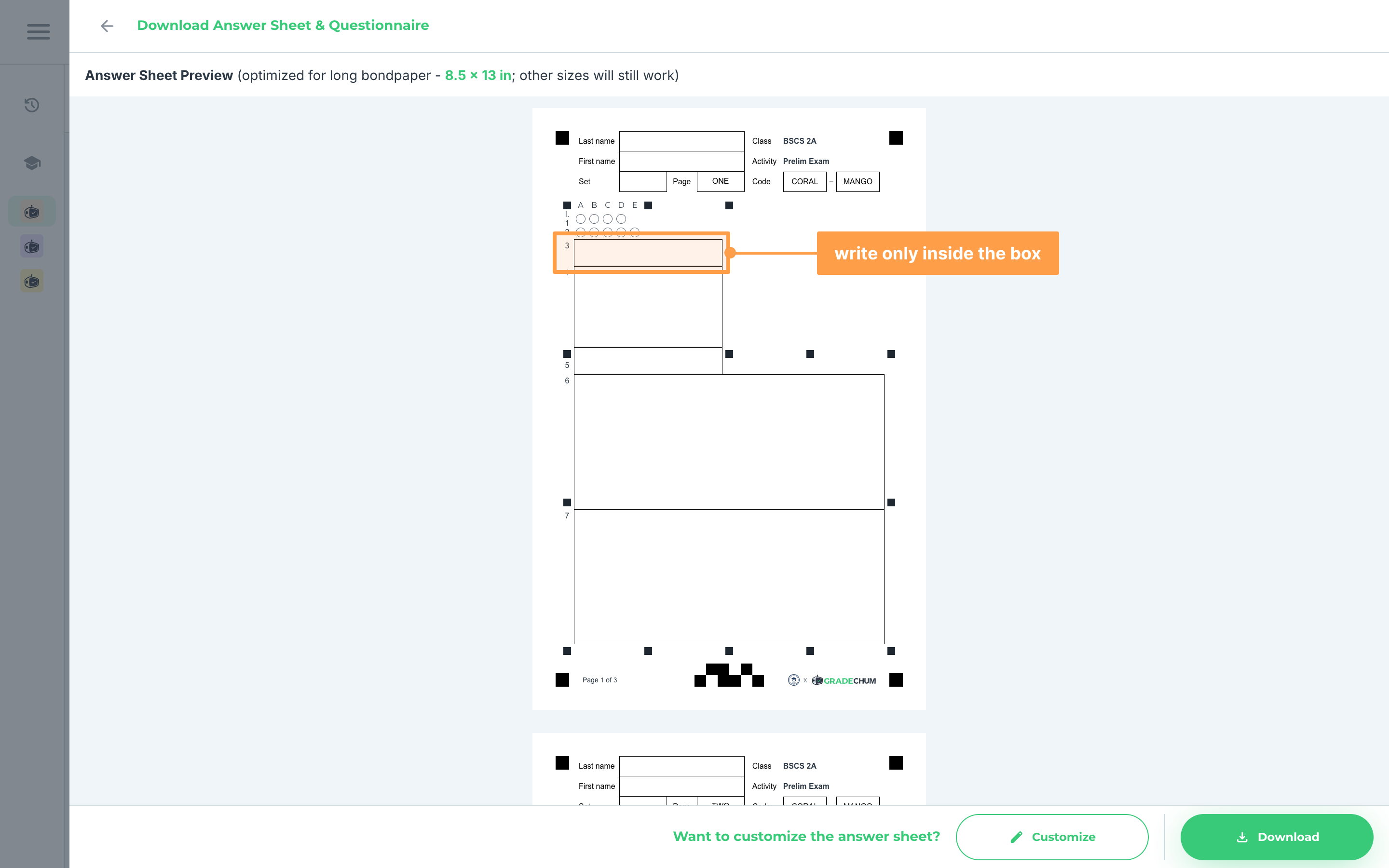
- Show the questionnaires to your students, or hand them over if you printed them. For items with answer boxes, remind your students to write inside the borders of each box. Anything written beyond an item's box is cut off when the paper is scanned and is not read.
- Remind your students to write neatly, so GradeChum reads and checks their answers correctly. For erasures, correction tape keeps the paper clean, or they can scribble the old answer out completely.
- Finally, once your students are done, collect all their answer sheets.
And that's what to do during the activity! Next, let's explore what to do after giving the activity.